I just got Dreamweaver and am wondering how to create new templates. I have Photoshop too, but no idea how to create them.
Understanding Templates in Dreamweaver
Dreamweaver’s template system is actually pretty straightforward once you get the hang of it. The key is to design your layout first—either in Photoshop or directly in Dreamweaver’s design view—and then save it as a template (.dwt file). Templates allow you to define editable regions (like content areas) and locked regions (like headers/footers). When you create a new page from a template, you can only edit the editable regions, which keeps your design consistent across the site.
Step-by-Step: Creating a Template
- Design Your Layout: You can start by creating a mockup in Photoshop, or jump straight into Dreamweaver’s design view. For a simple layout, use a container div, header, navigation, main content area, and footer.
- Create a New Template: In Dreamweaver, go to
File > New > Blank Templateor open an existing HTML file and chooseFile > Save as Template. Give it a name like “main-layout.dwt”. - Define Editable Regions: Select the area you want to be editable (e.g., the main content div), then go to
Insert > Template Objects > Editable Region. Name it (e.g., “Content”). Repeat for other editable areas like the page title. - Save and Apply: Save the template. To create a new page, go to
File > New > Page from Template, select your template, and start editing the editable regions. The locked parts will remain unchanged. - Update All Pages: If you modify the template (e.g., change the footer), Dreamweaver will prompt you to update all attached pages. This is the real power of templates—one change updates your entire site.
Modern 2026 Trends & Best Practices
While Dreamweaver is still used by some, the web design industry has largely moved to more flexible and collaborative tools. Here’s how the template concept translates to modern workflows:
- Static Site Generators (SSGs): Tools like Hugo, Jekyll, or Eleventy use layouts and partials (similar to templates) with Markdown content. They generate static HTML, which is fast and secure.
- Component-Based Frameworks: React, Vue, and Svelte let you build reusable components (like headers, cards, etc.). You can create a layout component that wraps your pages, and each page is just a component with its own content.
- CSS Frameworks: Bootstrap or Tailwind CSS provide pre-built components and grid systems, reducing the need for custom templates.
- Version Control: Use Git and GitHub to track changes to your templates. This is essential for team collaboration and rollback.
If you’re starting out, I’d recommend learning HTML, CSS, and a bit of JavaScript first. Then try a static site generator like Hugo—it’s fast and has a great template system. But if you’re comfortable with Dreamweaver, it’s still a valid tool for small projects.
Pro Tip: In Dreamweaver, you can also use Library Items for reusable chunks like navigation bars. They work similarly to templates but for smaller pieces.
Hope this helps! Feel free to ask if you need more details.
 Topic Overview (Wikipedia):
 YouTube Video: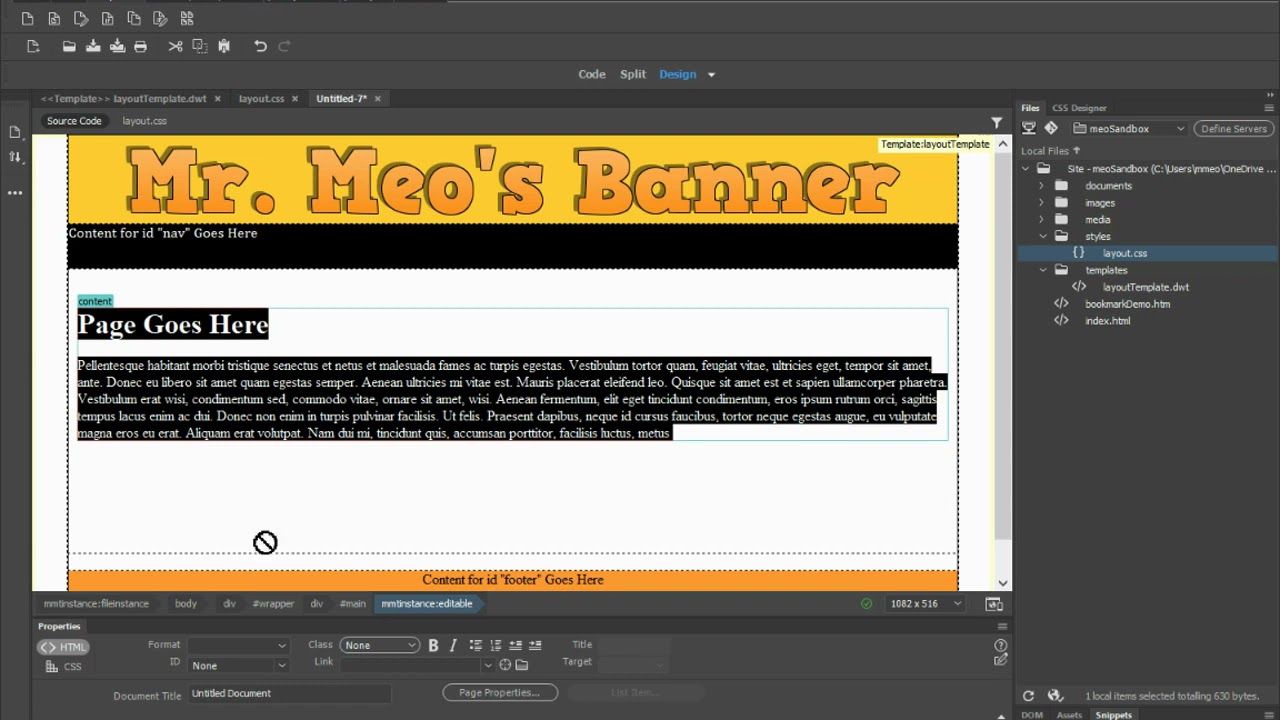
 Official Documentation & Reference Links: